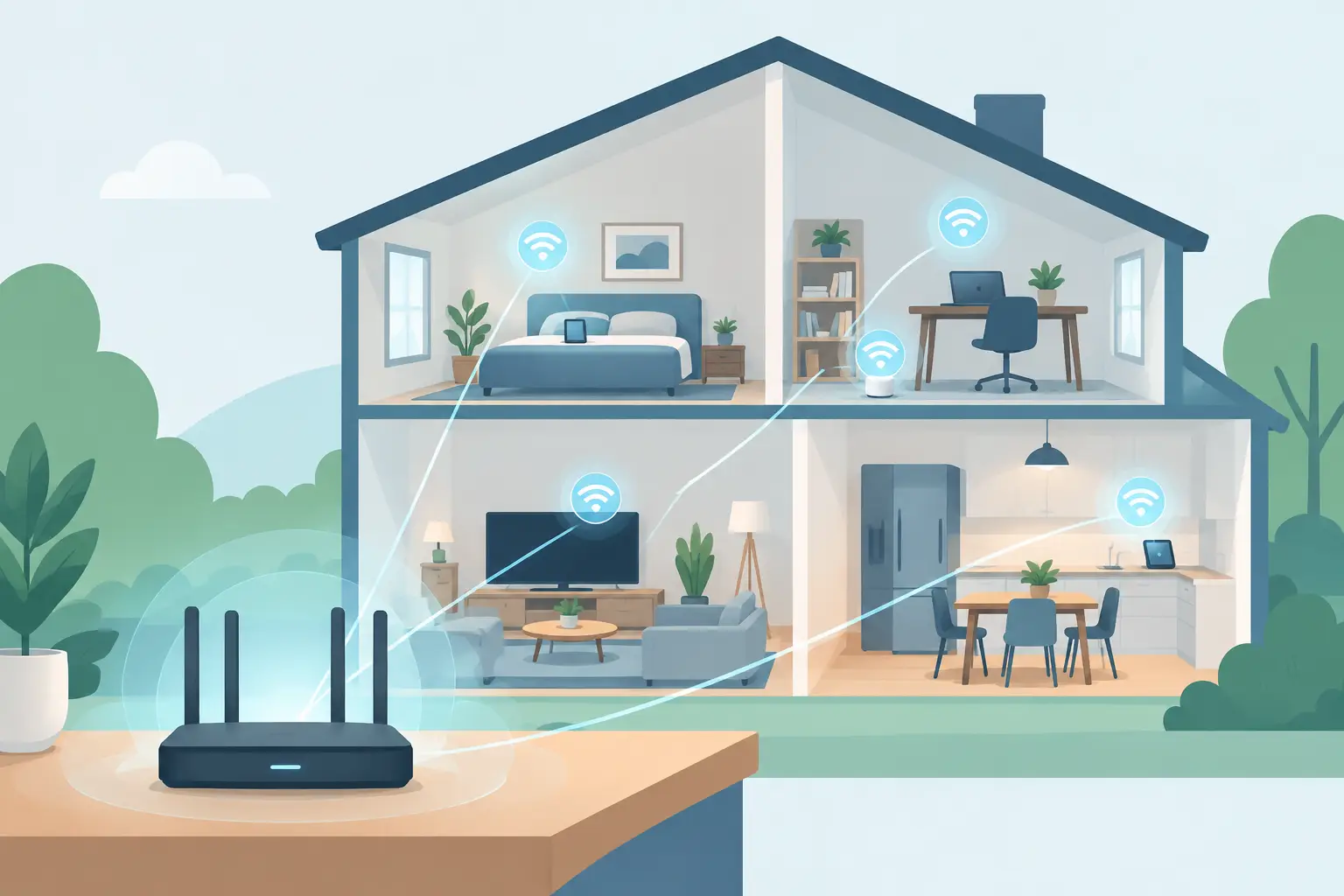
A home network design guide should begin with one simple question: where does your home need technology to work without a second thought? The answer is rarely just the office. It includes the kitchen where music plays, the patio where Wi-Fi should still reach, the family room where streaming should not pause, and the bedrooms where devices charge and connect every day.
A well-planned network is not about filling a house with visible equipment or choosing the most expensive box on the shelf. It is about creating a dependable foundation for the way you live now, while leaving room for the way your household may change later. When the planning is right, the network stays largely out of sight and does its job quietly in the background.
Start With How the Home Will Be Used
Before selecting hardware, map the routines that depend on connectivity. A household that primarily streams movies and works from one desk has different needs than a home with remote workers, teenagers gaming online, multiple TVs, whole-home audio, cameras, and a detached garage or outdoor living area.
Think room by room rather than relying on a single square-footage number. Dense materials such as brick, stone, plaster, radiant flooring, and metal ductwork can weaken wireless signals. A large open floor plan may need fewer wireless access points than a smaller home with finished basements, long hallways, or several additions. The right plan depends on the layout and construction, not just the size of the home.
New construction offers the best opportunity to plan pathways before walls close. During a renovation, it may be more practical to use existing routes, attic access, unfinished basement ceilings, or carefully selected wireless connections. Both approaches can produce an excellent result when the design accounts for the home itself.
Home Network Design Guide: Build From a Wired Core
Wireless connectivity is convenient, but the network performs best when its most demanding devices have a wired path available. A structured wiring system creates that foundation by bringing low-voltage cable from a central location to the rooms and equipment that need it most.
A central equipment location should be dry, accessible, ventilated, and large enough to service comfortably. A closet, utility room, or dedicated technology cabinet often works well. This is where the internet service enters the home and where networking equipment, distribution hardware, and organized cable terminations can be placed. It should not be an afterthought tucked into a cramped area with no power, no airflow, and no room to grow.
Run data cable to stationary, high-use locations whenever possible. TVs, home offices, gaming areas, audio components, wireless access points, and a dedicated work desk are strong candidates. A wired connection provides consistent performance and reduces competition for wireless capacity. It also gives you options later if a room changes purpose.
For new builds, consider extra cable runs to locations that may matter in the future, even if they will not be used on day one. Adding a cable during construction is generally far simpler than opening finished walls later. A few well-placed spare runs can make an upgrade far less disruptive.
Plan Wi-Fi Around Coverage, Not Guesswork
A single router placed near the internet connection may work in a small, open home. In many homes, particularly those with multiple levels or dense building materials, it creates weak zones and inconsistent performance. The better approach is to place professionally selected wireless access points where people actually use devices.
Ceiling-mounted access points are often effective because they can distribute signal broadly and remain visually discreet. In other homes, wall-mounted equipment or a carefully planned mesh system may make more sense. The goal is not to add more equipment than necessary. Too many poorly positioned access points can create as many problems as too few.
Placement should consider the finished space, not just what is convenient for installation. A point hidden in a mechanical corner may not serve the upstairs bedrooms. One placed at the edge of the house may waste much of its coverage outdoors. A site assessment, floor plan review, and understanding of wall materials help determine the right locations.
Outdoor coverage deserves its own plan. Wi-Fi from inside the house does not always carry reliably to a patio, pool area, workshop, or detached building. If these areas are part of daily life, they should be designed into the system rather than treated as an afterthought.
Choose Equipment for Reliability and Support
Consumer networking gear can be appealing because it is easy to buy and promises quick setup. That may be enough for a simple apartment or a temporary need. In a connected home, however, equipment should be selected for stable performance, appropriate capacity, remote management, and a clean installation.
The internet gateway, network switch, wireless access points, and cabling all need to work together. One weak component can limit the experience across the entire house. For example, fast internet service cannot solve poor access point placement, and excellent wireless equipment cannot compensate for an overloaded or poorly organized network cabinet.
It also helps to separate household devices in sensible ways. Work computers, entertainment equipment, guest devices, and smart home products do not all need to compete in the same way. Proper configuration can improve day-to-day performance and make troubleshooting more straightforward when something changes.
Look beyond advertised top speeds. Capacity, coverage, wired backhaul options, software support, and the ability to diagnose issues matter more than a large number printed on a retail box. The best equipment is the equipment that fits the home, is installed cleanly, and can be maintained over time.
Give Entertainment and Work the Connections They Deserve
Video calls, online gaming, 4K streaming, and whole-home audio can all place demands on a network. They do not always require specialized solutions, but they do benefit from thoughtful planning. A wired connection at a main TV, office, or entertainment rack can prevent a high-use device from relying on a crowded wireless connection.
For a home office, plan for more than a laptop. A dock, desktop computer, printer, video conferencing system, and phone may all share the same area. Having power, data, and cable management considered together keeps the workspace cleaner and more dependable.
Entertainment systems benefit from the same mindset. When TV, audio, and source equipment are connected and labeled properly, future service is easier and the room stays free of unnecessary cable clutter. A polished installation should support the room’s design instead of competing with it.
Leave Room for Changes
Homes evolve. A nursery becomes a study, a guest room becomes a workout space, and a finished basement becomes the place where everyone gathers. Network design should anticipate those shifts without requiring a full rebuild.
Choose a central location with spare capacity. Use labeled cables so future technicians do not have to trace every run. Keep equipment accessible rather than burying it behind fixed cabinetry. If the home has a detached structure, conduit between buildings can preserve options for a future wired connection.
Do not assume that every need must be solved immediately. It is often wise to install the infrastructure first, then add equipment as the household’s routines become clearer. The key is ensuring the foundation can support those additions without invasive work later.
Make Professional Planning Part of the Build
For builders and homeowners, network planning works best when it happens alongside electrical, HVAC, and finish decisions. Waiting until move-in can limit cable routes and force visible compromises. Early coordination keeps equipment locations intentional, access points discreet, and wiring protected from avoidable conflicts.
Tri-County Technology helps translate floor plans and lifestyle priorities into connected systems that are simple to live with. The conversation should focus on how the home will function, not on making clients learn a catalog of technical terms.
A thoughtfully designed network gives every connected part of the home a better chance to work as expected. Start with the rooms, routines, and future plans that matter most, then build the wiring and wireless coverage around them. That is how technology becomes a quiet convenience instead of another household chore.


Comments are closed