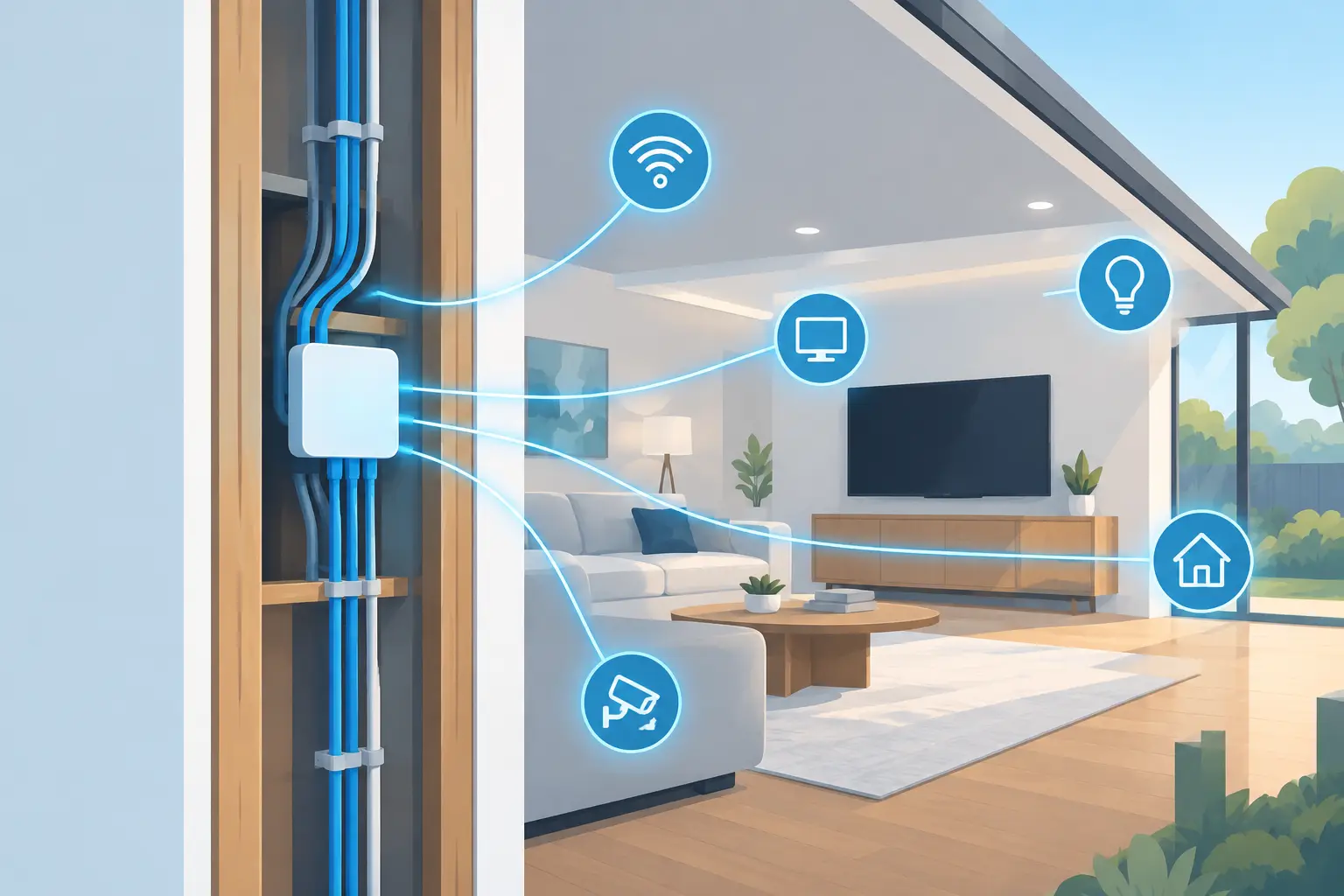
A home can have beautiful finishes, high-end appliances, and every smart device on the shelf, yet still feel frustrating if the connection underneath it all is weak. Video calls freeze in the office, music drops in the backyard, and the Wi-Fi works perfectly in one room but not the next. Future home connectivity is not about filling a house with more gadgets. It is about creating an infrastructure that supports everyday life reliably, quietly, and without adding clutter.
For homeowners planning a new build or renovation, the best time to think about connectivity is before drywall goes up. For existing homes, a thoughtful upgrade can solve long-standing pain points without requiring a full remodel. The goal is the same in either case: make the home ready for the way people actually live now, while leaving room for what comes next.
Future Home Connectivity Is Built on a Strong Foundation
The visible technology in a home will change. TVs, wireless standards, streaming devices, and smart controls all evolve quickly. The wiring and network design behind them should not need to be reinvented every few years.
That is why structured wiring matters. A central, organized location for low-voltage cabling gives the home a practical backbone for internet service, Wi-Fi equipment, entertainment areas, cameras, audio, and other connected systems. It keeps equipment out of random closets and reduces the patchwork of exposed cords, add-on extenders, and temporary fixes that often build up over time.
In a new home, it is usually cost-effective to run cable where it may be useful later, even if every connection is not active on day one. Common examples include television locations, offices, ceiling-mounted Wi-Fi access point locations, outdoor living spaces, and spots where future displays or audio may be desired. A few well-planned runs during construction can prevent much more expensive work later.
Retrofit projects require a different approach. Older homes may have plaster walls, finished basements, unusual layouts, or limited pathways for cable. That does not mean a meaningful upgrade is out of reach. The right design identifies the rooms where dependable coverage and wired connections will have the greatest daily impact, then uses clean installation methods to preserve the character of the home.
Wired Connections Still Have a Place
Wireless technology has improved dramatically, but it is not the best answer for every device. Fixed equipment that sends or receives a lot of data, such as a media system, desktop computer, gaming setup, or wireless access point, often benefits from a wired connection.
A wired connection provides consistency. It also takes pressure off the wireless network, which helps phones, tablets, and portable devices perform better throughout the house. The right balance depends on the home, the internet plan, and how the space is used. A family that streams in several rooms, works from home, and uses a finished lower level differently than a couple with a smaller, simpler layout will have different needs.
Reliable Wi-Fi Needs More Than a Better Router
Many homeowners try to solve poor Wi-Fi by buying a more expensive router. Sometimes that helps. Often, the real issue is placement, construction materials, interference, or too many devices competing for a single wireless point.
A professional Wi-Fi design looks at the full property rather than the room where the router happens to sit. Coverage should reach the places people use every day: bedrooms, offices, kitchens, patios, garages, and lower-level living areas. It should also account for how signals behave around brick, stone, metal, ductwork, tile, and dense insulation.
A well-designed system may use multiple properly placed access points connected back to the network by wire. This approach is more dependable than relying on a chain of plug-in extenders, which can reduce speed and introduce inconsistency. The equipment is only part of the answer. Proper placement, configuration, and testing are what make the network feel dependable.
For Northeast Ohio homes, coverage planning can be especially valuable when a property includes multiple levels, a finished basement, thick interior materials, or outdoor gathering areas. The objective is simple: internet access should be available where life happens, not just where the modem was installed.
Plan for Rooms With Different Jobs
Future-ready connectivity should reflect the function of each space. A home office needs stable video conferencing and dependable access to cloud-based files. A media room may need fast connections for streaming, gaming, and audio components. A kitchen or great room may benefit from simple control of music, shades, and lighting scenes that fit the routine of the household.
The same idea applies outdoors. Patios, pools, porches, and detached structures are increasingly part of the home’s usable living space. Planning for Wi-Fi, outdoor audio, and entertainment connections during the design phase avoids the need to run visible temporary cabling later.
This does not mean every room needs every feature. Overbuilding can add expense without improving the experience. The best design starts with realistic questions: Where do people work? Where do they relax? Which rooms host family and friends? Which areas have weak connectivity now? Those answers guide a system that feels personal rather than excessive.
Choose Flexible Systems Over Trendy Devices
The future is difficult to predict, but flexibility is easier to plan for. A connected home should allow equipment to be upgraded without disrupting the entire system. That starts with quality cabling, adequate pathways, accessible equipment locations, and a network that can grow as needs change.
It also means being selective about devices that require apps, subscriptions, and frequent updates. Convenience can be worthwhile, but every added device is another item to manage. A good connected home does not ask homeowners to become technology administrators. It gives them clear, intuitive control and keeps routine functions simple.
When evaluating an upgrade, consider these practical questions:
- Can the system be serviced and updated without opening finished walls?
- Will it support both current devices and likely future additions?
- Is the equipment located where it can be reached and maintained?
- Can the household use the system without switching between several apps?
These questions matter more than whether a product is the newest model. Technology should earn its place by making the home more comfortable, more enjoyable, or easier to manage.
Professional Design Reduces Future Friction
Home connectivity is often treated as an afterthought, especially during construction when many decisions compete for attention. But waiting until the end can lead to compromised equipment locations, missed cable runs, and visible workarounds that distract from an otherwise polished home.
A coordinated plan lets builders, electricians, designers, and technology professionals work from the same expectations. It helps preserve clean lines, keeps equipment organized, and gives the homeowner a clearer understanding of what their system can do. It also prevents the common situation where one system works well on its own but becomes difficult to manage alongside everything else.
At Tri-County Technology, the focus is not on making a home feel more technical. It is on designing connected systems that support comfort, entertainment, work, and daily routines with less friction. From a single Wi-Fi improvement to a complete low-voltage plan for a new build, the right approach begins with listening to how the space will be used.
The best connected homes are rarely the ones that call attention to themselves. They are the homes where a video meeting holds steady, the movie starts without troubleshooting, the music reaches the patio, and the connection simply works in the places it is needed. Planning for that experience now gives a home more room to adapt later.


Comments are closed