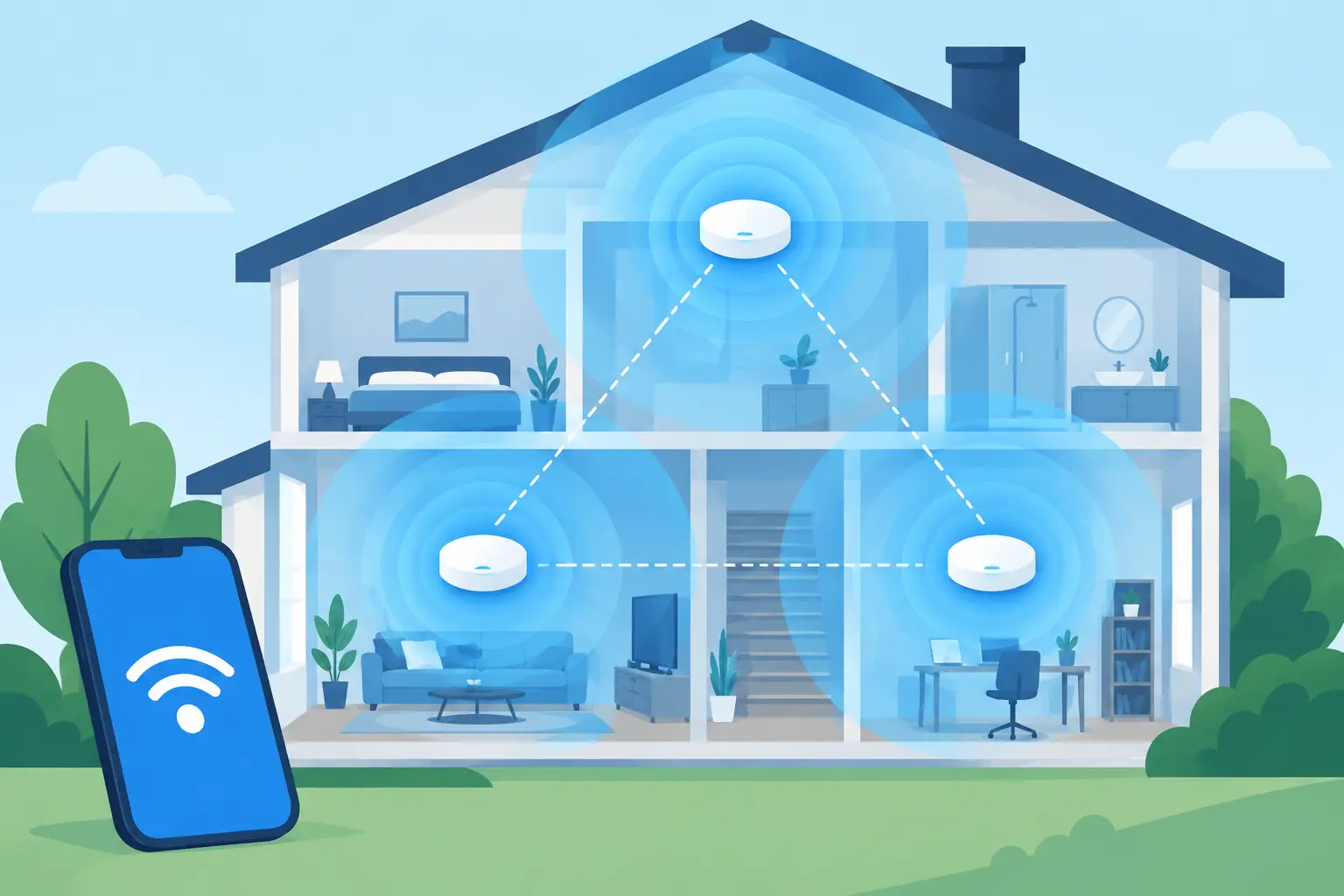
A beautiful home can still feel frustrating when video calls freeze in the office, music drops on the patio, or a new TV struggles to stream in the basement. WiFi access points solve that problem by placing reliable wireless coverage where your family, guests, and devices actually use it.
For a new build, renovation, or an existing home with weak spots, the right wireless design is less about buying a more powerful router and more about planning coverage thoughtfully. A professionally installed system can work quietly in the background, giving you dependable connectivity without adding visible clutter or another complicated app to manage.
What WiFi Access Points Actually Do
A WiFi access point is a wired device that broadcasts a wireless signal. It connects back to your network through Ethernet cabling, then provides Wi-Fi to the phones, laptops, TVs, tablets, speakers, and other connected equipment nearby.
Many homes start with one internet gateway or router placed wherever the service provider installed it. That location is often a utility room, basement, closet, or one end of the house. While the router may be capable, walls, floors, appliances, stone, metal, and distance can weaken its signal long before it reaches the spaces that matter most.
WiFi access points give the network additional, properly located places to communicate with devices. Instead of asking one router to cover every corner of a large home, a finished basement, an outdoor entertaining area, and a detached workspace, the system distributes coverage across the property.
The result should feel simple: you walk from the kitchen to the bedroom, step outside, or move to a different floor, and your device stays connected without constant manual switching.
Why a Single Router Often Falls Short
A single router can be perfectly adequate for a smaller, open home with modest device use. But the needs of a connected household have changed. Streaming televisions, work laptops, phones, tablets, smart thermostats, video doorbells, gaming systems, audio equipment, and appliances can all compete for wireless capacity.
Coverage is only one part of the equation. A network can show a strong signal and still perform poorly when too many devices are sharing an overloaded radio, when the equipment is poorly placed, or when the internet plan and internal network are not matched to the household’s needs.
Construction also matters. Plaster walls, radiant floor systems, dense insulation, masonry fireplaces, mirrors, and large mechanical areas can all affect wireless performance. That is why a design that works beautifully in one home may not be the right answer for another.
In Northeast Ohio, this often becomes clear during a remodel or addition. A formerly simple floor plan may gain a finished lower level, home office, media room, or patio area that needs the same reliable connection as the rest of the home. Adding coverage after the fact is possible, but planning for it early creates a cleaner, more dependable result.
Where WiFi Access Points Belong
The best placement is based on how the home is used, not just its square footage. Access points are commonly installed on ceilings or high on walls in central areas, where their signal can travel effectively through surrounding rooms. They can also be used in targeted locations such as a basement, a second-floor hallway, a garage, a covered outdoor area, or a detached building.
Placement should account for both coverage and capacity. A family room with multiple streaming devices may benefit from nearby wireless service even if it is technically within range of another access point. A home office deserves special attention as well. A dropped call during a meeting is not merely inconvenient when work depends on a stable connection.
Professional installation also keeps the equipment visually discreet. Many access points are low-profile and can blend into a ceiling more naturally than a collection of consumer extenders, cords, and tabletop devices. Structured wiring allows each unit to receive both data and power through one concealed cable, reducing clutter and avoiding the need to find nearby outlets.
Wired Backhaul Makes a Meaningful Difference
Access points perform best when each one has a wired connection back to the network. This is called a wired backhaul. It gives the access point a direct path for sending and receiving data, which supports more consistent speed and responsiveness.
Wireless mesh systems can be useful where new cabling is not practical. They may improve coverage compared with relying on a single router. However, mesh units that communicate with each other wirelessly can sacrifice some capacity, especially in larger homes or areas with challenging construction.
There is no one-size-fits-all answer. A well-designed mesh solution may be appropriate for a smaller retrofit, while a wired access point system is often the stronger long-term choice for new construction, major renovations, and larger properties.
Better Coverage Is About More Than Signal Bars
It is tempting to judge a network by the number of Wi-Fi bars on a phone. Those bars tell only part of the story. A well-planned system should also support smooth roaming, enough capacity for active devices, reliable performance at busy times, and sensible separation between household devices and visitor use when needed.
The internet service itself matters too. If a home has a modest internet plan, adding access points will not create more bandwidth from the provider. What it can do is help the available connection reach more areas of the home efficiently and reduce the frustration caused by poor local coverage.
Network equipment should be sized around real habits. A couple who checks email and streams occasionally has different needs from a busy household with remote workers, frequent video calls, 4K streaming, online gaming, and a whole-home audio system. The goal is not to overbuild for the sake of specifications. It is to create an experience that remains comfortable as routines change.
Signs Your Home May Need an Upgrade
A few isolated slowdowns do not always mean the entire network needs replacement. Internet service interruptions, an aging modem, and a device-specific issue can all create similar symptoms. Still, recurring problems often point to a coverage or capacity issue.
Consider a Wi-Fi evaluation if you regularly experience four or more of these concerns:
- Video calls become choppy in certain rooms.
- Streaming pauses or drops in bedrooms, basements, or outdoor spaces.
- Devices disconnect when moving through the home.
- The network slows down noticeably when several people are online.
- Extenders have been added over time, but performance remains inconsistent.
- A new addition, finished lower level, or detached workspace has weak coverage.
An assessment should begin with the home itself: floor plan, construction materials, equipment locations, cabling options, internet service, and how each space is used. That approach prevents the common mistake of adding hardware without addressing the reason the connection is unreliable.
Planning WiFi Access Points in a New Build or Remodel
New construction offers the best opportunity to create a clean, flexible network foundation. Running category cable to thoughtful access point locations before drywall is installed is usually straightforward and far less disruptive than opening finished walls later.
A good plan also considers the central equipment location. Network components should have adequate ventilation, accessible power, room for organized cabling, and a location that supports future service. When wiring is labeled and arranged properly from the beginning, upgrades and troubleshooting become much easier over the life of the home.
For remodels and existing homes, the approach is more selective. Existing pathways, attic access, basements, and unfinished areas can often make it possible to add wired locations with minimal disruption. When they cannot, the design may combine wired access points in key areas with carefully chosen wireless options elsewhere.
Tri-County Technology approaches these decisions around daily use, not a generic equipment package. The right system should fit the home, stay easy to live with, and give homeowners confidence that their connection will support the technology they rely on.
A Connection You Should Not Have to Think About
The best wireless network is rarely the one with the most visible hardware or the longest feature list. It is the one that lets a child finish homework upstairs, a homeowner take a call on the patio, and a family enjoy entertainment throughout the house without stopping to troubleshoot the connection.
If Wi-Fi has become something you work around, it may be time to look at where coverage is falling short and what a properly planned access point system could change.


No responses yet