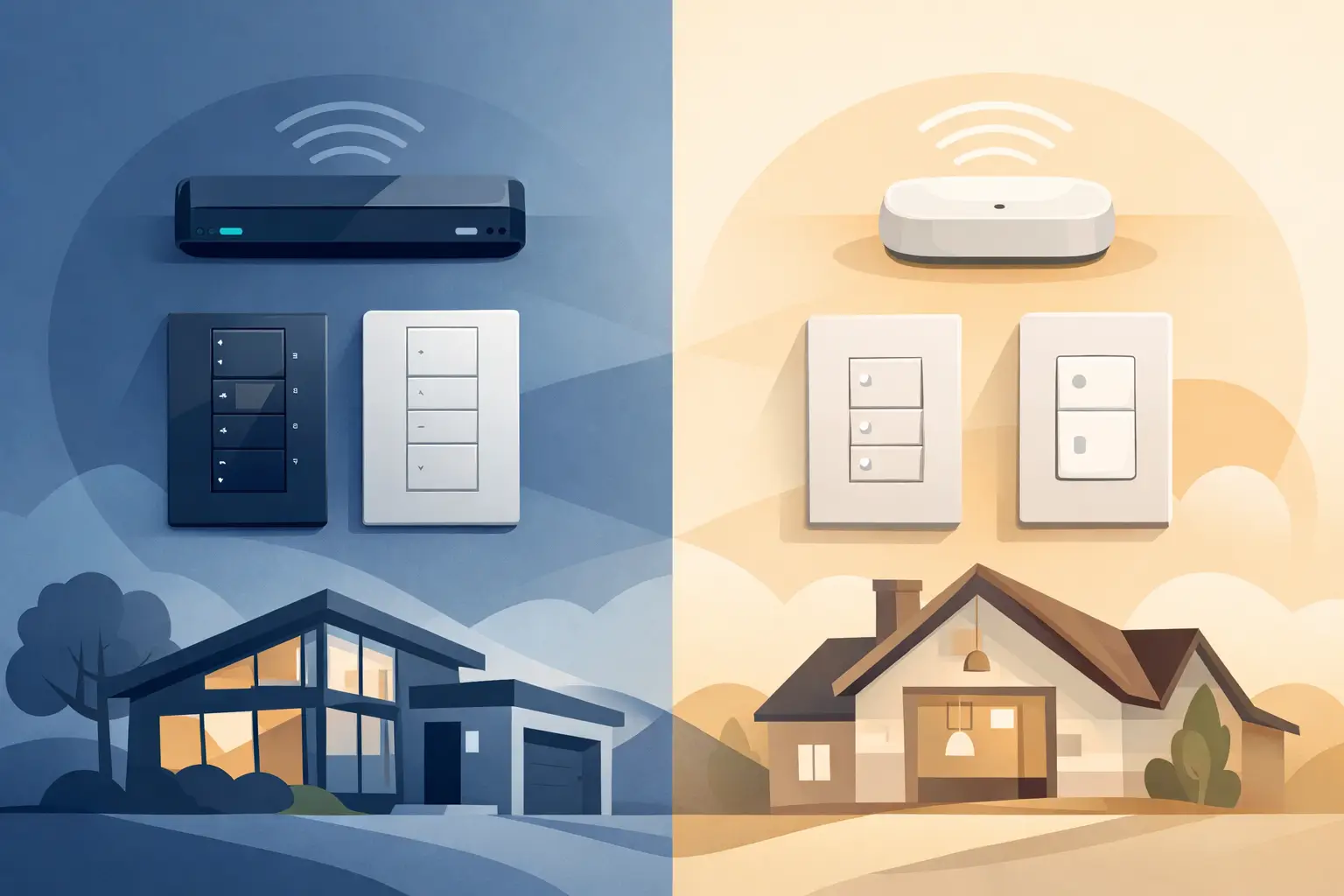
A kitchen light that responds every time, a bedtime scene that sets the house just right, and controls that do not clutter the wall can make a home feel noticeably more comfortable. The radiora 3 vs caseta decision comes down to how large and customized you want that experience to become. Both are respected Lutron lighting control platforms, but they are designed for different types of projects.
For a straightforward upgrade, Caséta can be an excellent fit. For a custom home, major renovation, or a home where lighting, shades, and keypads need to work together across many rooms, RadioRA 3 usually provides more room to grow. The right answer is not about choosing the most advanced option. It is about choosing the system that will feel natural to use for years.
RadioRA 3 vs Caséta: The Core Difference
Caséta is Lutron’s accessible smart lighting system. It is well suited to individual rooms, smaller homes, condos, and focused retrofit projects. A homeowner can add smart dimmers, switches, lamp controls, Pico remotes, and compatible shades, then manage them from wall controls, an app, schedules, or voice assistants.
RadioRA 3 is built for larger, more tailored residences. It supports a broader range of design-forward controls, more device capacity, personalized keypad programming, and a more expansive whole-home approach. It is a natural consideration when a builder or homeowner wants lighting control planned alongside wiring, motorized shades, audio, Wi-Fi, and entertainment systems.
Both platforms are reliable because they use Lutron’s dedicated wireless technology rather than depending on everyday Wi-Fi for basic lighting commands. The difference is not whether one can turn lights on and off well. It is how much control, design flexibility, and future capacity the home requires.
When Caséta Is the Better Choice
Caséta is often the practical choice when the goal is to improve daily routines without redesigning the home’s lighting plan. A family might want to replace a few switches in the kitchen and family room, create schedules for exterior lights, or add a convenient bedside control for a lamp and nearby fixtures.
It is particularly useful in retrofits where existing wiring limits the scope of work. Many Caséta devices can be added without opening walls or making major changes to the electrical layout. That can keep a project focused, clean, and cost-conscious.
Caséta also works well when a homeowner prefers familiar, individual controls in each space. A smart dimmer looks and behaves much like a standard dimmer, with the added benefit of schedules, scenes, and remote control. For a home with a modest number of controlled loads, that simplicity is a real advantage.
There are limits to consider. Caséta offers attractive control options, but it does not provide the same breadth of keypad styles, button engraving, and advanced personalization available with RadioRA 3. If the project is likely to expand room by room over several years, it is worth evaluating the total plan before selecting the starting platform.
Where RadioRA 3 Adds Value
RadioRA 3 is designed for homes where lighting is part of the overall experience, not simply a collection of smart switches. Instead of walking to several walls to adjust a large open living area, a homeowner can use a thoughtfully programmed keypad to select an activity such as Entertain, Evening, Cooking, or Goodnight.
The system supports a higher device count than Caséta, which matters in larger homes and in projects with many dimmers, switches, keypads, shade controls, and repeaters. Capacity is more than a technical specification. It gives a home room for additions without forcing separate systems or compromising the original design.
RadioRA 3 also offers more refined wall controls, including Sunnata-style keypads and coordinated control options that can complement a carefully selected interior finish. Keypads can be engraved so guests and family members know exactly what each button does. That small detail reduces the friction that often makes advanced home technology feel harder than it should.
For example, a single keypad near the primary bedroom can lower shades, set a comfortable lighting level throughout the main floor, and turn off lights that were left on elsewhere. Near an entry, a Welcome button can establish the lighting needed for arriving home. The technology stays in the background, while the routine feels simple.
Better fit for custom programming
The value of RadioRA 3 grows when rooms serve multiple purposes. A basement might be a casual family space on a weekday and an entertaining area on a weekend. A great room may need distinct lighting levels for reading, meals, television, and hosting guests. With tailored scenes and clear keypad labels, those changes take one touch instead of a series of adjustments.
This is also helpful for households with multiple users. Not everyone wants to use an app, and not every useful action should require a phone. Well-placed physical controls make the system easy for children, guests, and anyone who simply wants the room to respond immediately.
Design, Controls, and Daily Use
Both Caséta and RadioRA 3 can create scenes, schedules, and app-based control. Both can integrate with supported voice platforms and compatible smart-home systems. The distinction is the level of finish and personalization.
Caséta is ideal when standard smart dimmers, switches, and Pico remotes cover the need. Pico remotes are especially useful in locations where adding a wired control would be inconvenient. They can be mounted on a wall, placed on a table, or kept near a favorite chair.
RadioRA 3 is stronger when wall controls should look intentional across the home. Its keypad options can replace a bank of switches with fewer, more meaningful buttons. This can make a renovated space look cleaner while giving the homeowner more useful control.
Neither approach is automatically better. A compact home may not benefit from a highly customized keypad layout. Conversely, installing a collection of individual smart controls throughout a large custom home can eventually feel less organized than a system designed around the home’s routines from the beginning.
Planning for New Construction and Renovations
The best time to compare RadioRA 3 and Caséta is before electrical decisions are finalized. In a new build or substantial renovation, the lighting plan, fixture selection, dimming compatibility, shade locations, and control locations should be considered together. This helps avoid a beautiful room with inconvenient controls or lighting loads that do not dim as expected.
A professional design process begins with how the household lives. Which rooms are used early in the morning? Where do people gather in the evening? Are there long hallways, stairways, or exterior areas that would benefit from simple scheduled lighting? Will window treatments be part of the plan? These questions are more useful than starting with a list of devices.
For retrofit projects, an on-site review can identify practical constraints such as wallbox space, neutral wires, fixture types, and wireless signal paths. Older homes often present variables that cannot be judged accurately from a floor plan alone. A careful assessment helps protect the reliability of the finished system.
Cost Should Be Considered in Context
Caséta generally has a lower entry cost, particularly for a few rooms or a contained project. It can deliver a meaningful improvement in comfort and convenience without requiring a large installation scope.
RadioRA 3 is a larger investment because it involves a more comprehensive design, premium control options, and professional programming. That investment makes the most sense when the home has enough rooms, lighting zones, and lifestyle needs to use its capabilities well.
The less expensive system is not always the lower-cost decision over time. If a home is being built with plans for motorized shades, extensive scene control, and future additions, starting with the platform that supports the full vision can prevent unnecessary replacement work later. On the other hand, paying for capacity that will never be used is not a better outcome either.
Choosing the System That Fits Your Home
Choose Caséta when the project is focused, the home has a moderate number of lighting zones, and you want a dependable upgrade with familiar controls. It is a smart choice for many homes where convenience and simple automation are the priority.
Consider RadioRA 3 when building or remodeling a larger home, when polished keypads and engraved buttons matter, or when you want lighting and shades to support whole-home routines. It is also the stronger choice when long-term flexibility is part of the plan.
At Tri-County Technology, the goal is not to fill a home with more technology than it needs. It is to design controls that feel intuitive on day one and continue to make everyday life easier as the home changes. A well-planned lighting system should disappear into your routine: the right light, in the right place, at the right time.


Comments are closed