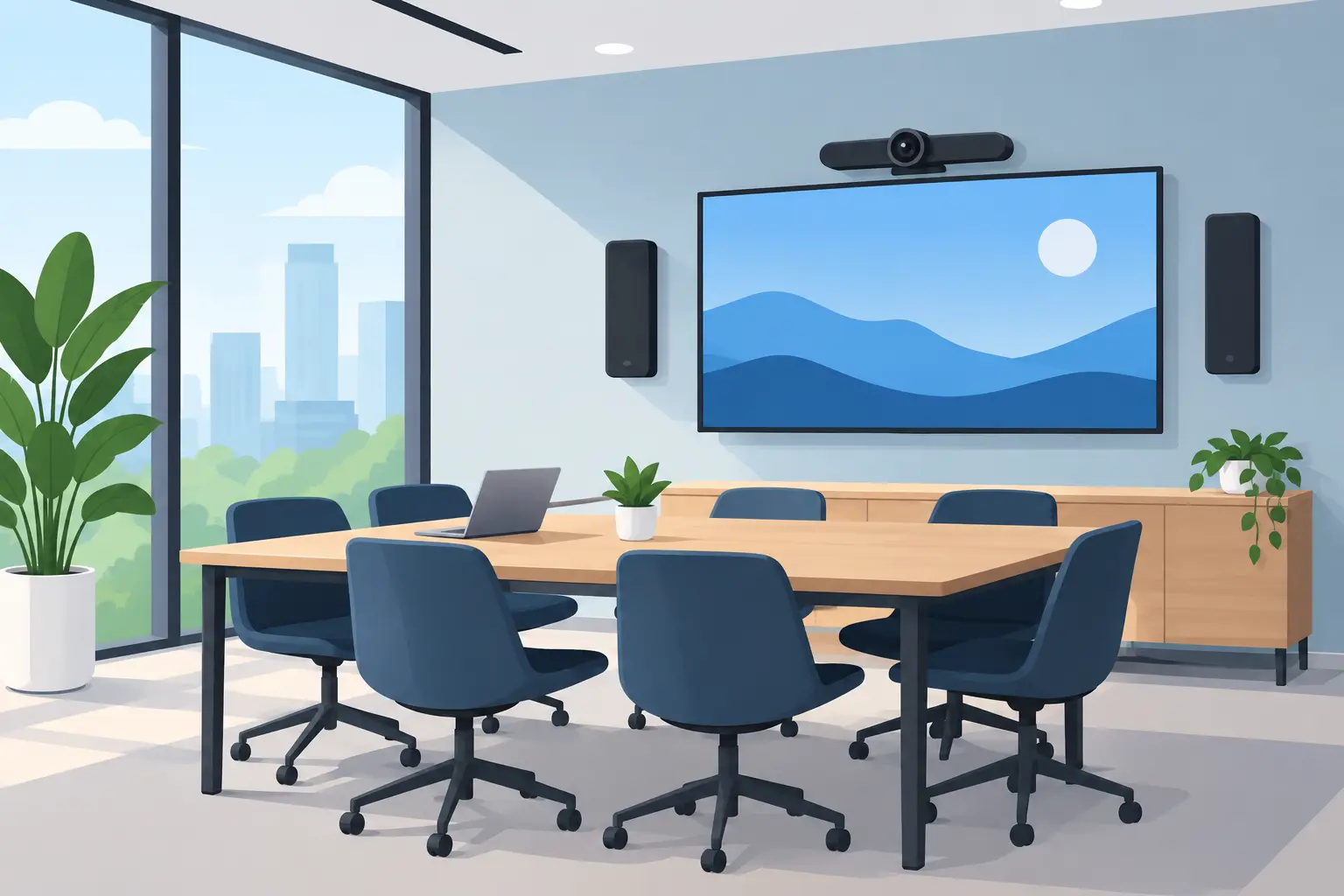
A meeting that starts with five minutes of cable hunting, screen-sharing confusion, or “Can everyone hear us?” sets the wrong tone before the real work begins. This small business AV guide focuses on the practical systems that make a workplace easier to use: clear displays, dependable sound, strong Wi-Fi, and controls that employees can understand without a manual.
For a small office, AV is not about filling rooms with expensive equipment. It is about removing the everyday friction that interrupts conversations, slows presentations, and makes a polished business feel less prepared than it is. The right design should stay largely out of sight while helping people communicate clearly.
Start With How the Space Is Actually Used
The best AV plan begins with routines, not equipment specifications. A conference room used for weekly client calls needs different support than a training room, reception area, showroom, or flexible workspace. Before choosing a display or speaker, consider who uses each room, how often outside participants join meetings, and whether furniture changes regularly.
A two-person office may need little more than a properly mounted display, a simple conferencing camera, and reliable wireless connectivity. A room where eight people gather around a table has different challenges. Camera framing, microphone pickup, speaker placement, cable management, and screen visibility all become more important as the room grows.
It also helps to plan for the meetings you want to have a year from now. If your team is mostly local today but regularly meets with remote clients, vendors, or staff, build around that reality. Adding capability later is possible, but it is often cleaner and more cost-effective to provide the right wiring paths and power locations during a renovation or new build.
Build Your Small Business AV Guide Around Three Priorities
Most successful small business AV systems come down to three things: people can see the content, hear the conversation, and connect without wasting time. Each priority affects the others.
Choose a display for the room, not the showroom
A display can look impressive in a retail aisle and still be poorly suited to a workplace. Screen size should match viewing distance, room layout, and the type of content being shared. Text-heavy spreadsheets and architectural drawings usually need more screen real estate than a simple video call.
Placement matters just as much. A display mounted too high creates uncomfortable viewing angles. One placed opposite large windows can become difficult to see in afternoon light. Proper mounting also keeps cables hidden, protects equipment, and gives the room a more finished appearance.
For spaces with frequent presentations, a commercial-grade display may be the better long-term choice. It is designed for heavier daily use than many consumer televisions. For occasional meetings in a smaller office, a quality television may be completely appropriate. The right answer depends on how hard the system will work and how long it needs to last.
Treat audio as a core requirement
People will tolerate a less-than-perfect image for a moment. They will not tolerate a meeting where voices cut out, echo across the room, or become difficult to understand. Audio quality often has the biggest effect on whether a video meeting feels professional.
A compact room may work well with an integrated conferencing soundbar that combines speakers, microphones, and camera functions. Larger rooms may benefit from separate microphones and speakers placed for more even coverage. The goal is not maximum volume. It is natural conversation where both in-room and remote participants can speak normally.
Hard surfaces such as glass, concrete, and open ceilings can create echo. Rugs, acoustic treatments, ceiling design, and thoughtful speaker placement can all help. This is one reason a room should be evaluated as a complete environment rather than as a collection of devices.
Make connection simple enough for guests
Employees should be able to walk into a room, connect a laptop, and start a meeting with minimal steps. Visitors should not need to install a special app or search for the correct input.
In some rooms, a clearly labeled HDMI or USB-C connection is the most dependable option. In others, wireless presentation tools offer greater flexibility. Wireless sharing is convenient, but performance depends on a well-designed network and can vary by device. A practical setup may include both options, giving users a straightforward fallback when a laptop or guest device does not cooperate.
The Network Carries the Experience
AV systems increasingly depend on the network. Video meetings, wireless presentation, cloud-based room calendars, streaming content, and remote support all place demands on Wi-Fi and wired connectivity. When the network is inconsistent, every connected system feels inconsistent.
Good Wi-Fi is about more than putting a router in the corner. Office layout, wall materials, device count, neighboring networks, and high-bandwidth activity all affect coverage. A professional site review can identify weak areas before they become a daily complaint.
Whenever possible, fixed equipment such as displays, conferencing systems, and media devices should have dependable wired connections. Wired infrastructure reduces reliance on crowded wireless traffic and provides a more stable foundation for rooms that host important calls. Wi-Fi still matters for laptops, phones, and flexible work, but it should not carry every critical task by default.
Structured wiring is especially valuable during construction and remodeling. Conduit, labeled cabling, accessible equipment locations, and adequate power make future changes far easier. These details are rarely noticed once the project is complete, which is exactly the point. They quietly protect the usability of the system for years.
Plan Controls That Do Not Create More Work
A room can have excellent equipment and still frustrate users if starting a meeting requires several remotes and a long sequence of inputs. Keep control familiar and limited to the actions people perform most often: turn on the display, choose a source, adjust volume, and begin a call.
For some offices, a simple handheld remote is enough. For others, a wall-mounted keypad or touch interface keeps control in one predictable place. There is no prize for making a small meeting room behave like a broadcast studio. The best interface is the one a new employee can use confidently on day one.
Automation can be useful when it supports a clear routine. For example, entering a conference room can wake the display and prepare the room for a scheduled meeting. But automation should remain intuitive and leave users with an easy way to make adjustments. Technology should reduce decisions, not introduce new ones.
Avoid the Common Budget Mistakes
Small businesses often overspend on visible equipment while underfunding the pieces that make it work well. A large display will not solve poor audio. An advanced camera cannot compensate for weak network coverage. And a premium device connected with loose, exposed cables rarely delivers the polished experience the investment deserves.
A balanced budget usually accounts for design, installation, mounting, cabling, network readiness, configuration, and support – not just the equipment itself. Professional installation also helps avoid problems that are expensive to correct later, such as inaccessible cables, inadequate ventilation, poorly placed outlets, or a camera that captures only the backs of attendees’ heads.
It is also wise to distinguish between essential capability and nice-to-have features. Start with the rooms where communication has the greatest business impact. A dependable primary conference room may provide more value than lightly equipping every space at once. From there, the system can expand in a consistent, intentional way.
Design for Support, Not Just Installation
Every AV system will eventually need an update, a setting adjustment, or help after a device changes. The question is whether that moment becomes a disruption. Clear documentation, organized wiring, labeled connections, and equipment selected for the intended use make support faster and less stressful.
For Northeast Ohio businesses updating an office, moving into a new location, or finishing a build-out, early coordination between the AV integrator, electrician, IT provider, and general contractor can prevent many avoidable compromises. It gives the team time to place outlets correctly, protect cable paths, and keep technology from becoming an afterthought.
Tri-County Technology approaches small business systems with the same standard that matters at home: technology should feel natural to use and dependable when it matters. A well-planned room lets your team focus on the client, the presentation, or the decision at hand – not on getting the room to cooperate.


No responses yet