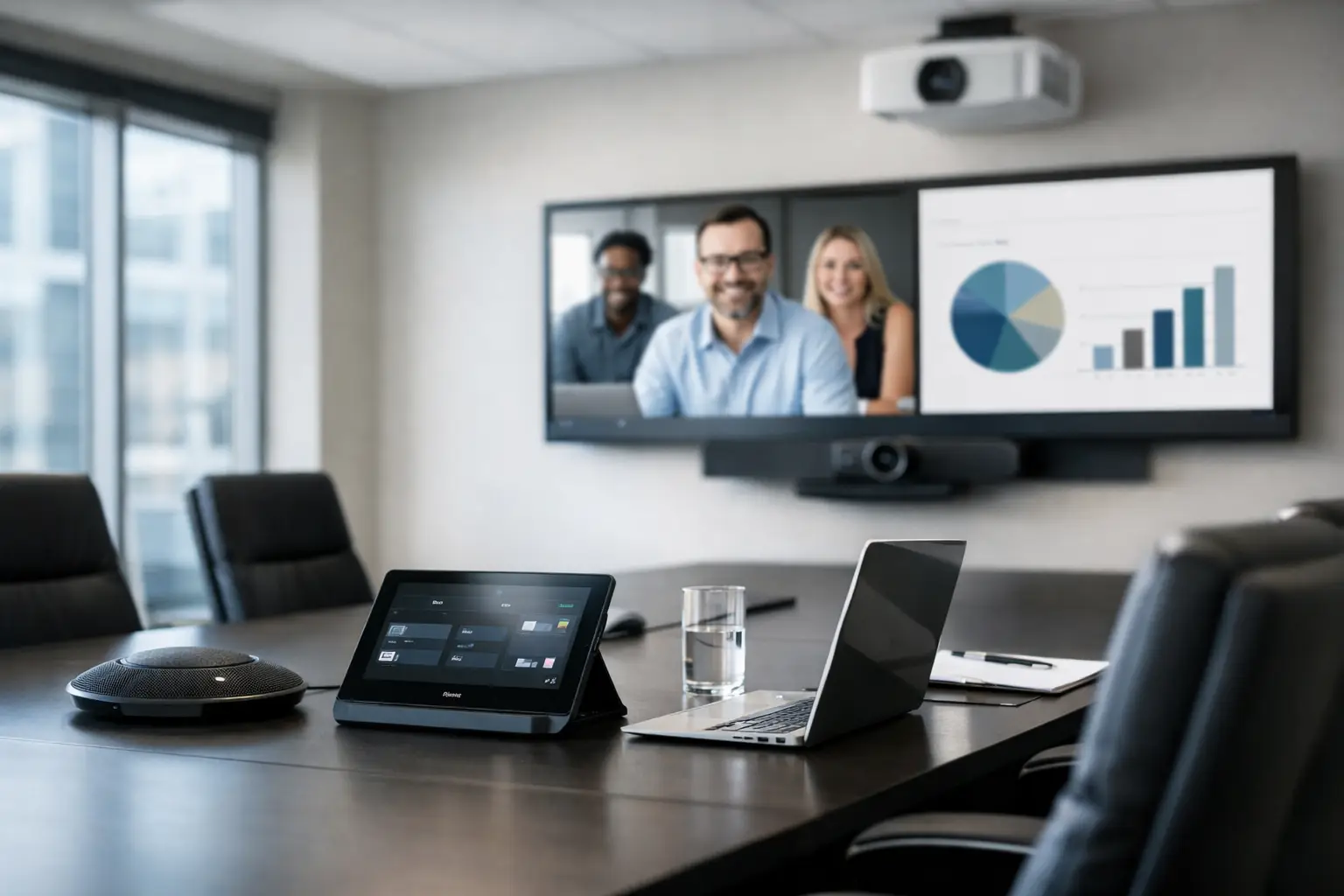
A meeting should not begin with five minutes of cable swapping, a frozen screen, or someone saying, “Can you hear me now?” A well-planned conference room AV setup removes that friction. It helps teams start on time, communicate clearly, and keep the room focused on the conversation instead of the equipment.
For small businesses, professional offices, and mixed-use spaces, the goal is not to fill a room with technology for its own sake. The goal is to make presentations easy, video calls dependable, and day-to-day use simple enough that anyone can walk in and start a meeting without needing IT support.
What a conference room AV setup should do
The best systems are usually the least noticeable. People should be able to share a screen, hear every voice in the room, and join a call without thinking much about what is happening behind the scenes. That sounds basic, but it takes planning to get right.
A good setup supports three core functions: clear audio, readable video, and straightforward control. If one of those breaks down, the room stops being productive. A sharp display does not help if the far end cannot hear the speaker. A strong camera does not solve anything if people waste time figuring out which remote controls the room.
That is why thoughtful integration matters more than buying individual devices with impressive specs. The room has to work as a system.
Start with the room, not the gear
One of the most common mistakes in conference room AV setup projects is choosing products first and asking questions later. The room itself should shape the design.
A small four-person meeting room has very different needs than a long boardroom or a flexible training space. Room size affects microphone pickup, speaker placement, camera framing, and display size. Ceiling height, wall finishes, glass surfaces, and table shape also matter because they change how sound behaves and how people interact with the system.
A room with a lot of hard surfaces may look clean and modern, but it can create echo and make voices harder to understand on calls. A space with windows behind participants may cause camera exposure issues. A narrow room may need a different display and camera layout than a square one.
This is where professional planning pays off. Instead of forcing equipment into a space, the system is built around how the room is actually used.
Audio is usually the biggest factor
If there is one area where businesses should avoid cutting corners, it is audio. People will tolerate video that is not perfect. They will not tolerate a meeting where half the room sounds muffled or remote participants keep asking for repeats.
Microphones need to match the size and layout of the room. In a smaller space, a well-placed table microphone or soundbar may be enough. In a larger room, ceiling microphones or multiple pickup points may be necessary to cover every seat evenly.
Speakers also need careful placement. Audio should sound natural and consistent, not too loud for the people near the front and too quiet for everyone else. In some rooms, built-in display speakers are enough. In others, dedicated in-room speakers create a much better experience.
There is always a balance here. More hardware can improve coverage, but too many disconnected pieces can make the system harder to manage. The right answer depends on the room and the expectations for call quality.
Why echo and noise become real problems
Poor acoustics are often blamed on the conferencing platform, but the room is usually part of the issue. HVAC noise, glass walls, open ceilings, and reflective tables can all interfere with speech clarity. A conference room AV setup should account for that early.
Sometimes the fix is equipment selection. Sometimes it is a small adjustment to room materials or microphone location. The best result often comes from addressing both.
Displays and cameras need to match the meeting style
The visual side of the room should support both local presentations and remote collaboration. That means thinking about who is in the room, what content they share, and how often meetings include outside participants.
For many small and midsize spaces, a single large flat-panel display is the cleanest and most practical option. It gives the room a professional look, works well for presentations, and keeps maintenance simple. Larger rooms may benefit from dual displays so shared content and remote participants can stay visible at the same time.
Camera choice matters just as much. A basic webcam may work in a huddle room, but it usually falls short in larger spaces. A proper conference camera should frame the room well, handle changing light, and show participants clearly without awkward angles.
There is also a trade-off between automation and predictability. Some smart cameras track speakers well and keep meetings feeling natural. Others can feel distracting if they shift too often or struggle in certain layouts. The right solution depends on how formal the room is and how consistently it will be used.
Simplicity matters more than feature count
A room packed with options is not always a better room. In fact, complicated systems are one of the fastest ways to create daily frustration.
The most effective conference room AV setup is one that feels obvious to use. Walk in, tap one control, start the meeting, share content, and adjust volume if needed. That is the standard most businesses should aim for.
Simple control can come from a wall keypad, a tabletop touchpanel, or a carefully designed software interface. What matters is that users do not have to think through a chain of steps every time they want to use the room. If the process feels inconsistent, people start bringing in their own adapters and workarounds, which usually creates more clutter and less reliability.
A calm, simple user experience is not a luxury. It is part of making the technology dependable.
Wired and wireless sharing both have a place
Content sharing is another area where it depends on the room and the team. Wireless presentation tools are convenient and keep tables free of cable clutter. They work especially well in flexible spaces where different users bring different devices.
At the same time, a wired connection still has value. It offers a stable fallback, helps with guest use, and can reduce frustration when someone needs to present quickly. In many rooms, the best approach is not choosing one over the other. It is offering both in a clean, intentional way.
That design choice also affects the look of the room. Hidden cabling, tidy connection points, and thoughtfully placed inputs make a space feel more polished and easier to maintain over time.
Reliability comes from infrastructure
When people think about AV, they often picture screens and cameras. But the hidden infrastructure is what keeps the room performing well.
Stable network connectivity is essential for video meetings, wireless sharing, and platform updates. Power needs to be planned so displays, control devices, and conferencing hardware are not relying on awkward extension cords or overloaded outlets. Cable pathways should support serviceability without leaving visible mess behind.
This is especially important in retrofit projects. Older conference rooms may have decent furniture and finishes, but weak wiring, inconsistent Wi-Fi, or poorly placed power can limit what the technology can do. In those cases, improving the foundation often matters more than replacing every visible device.
For businesses in Northeast Ohio updating existing offices, that practical approach can save time and prevent overspending. A room does not always need a full rebuild to work better. It needs the right improvements in the right places.
Professional installation changes the day-to-day experience
Conference room technology is one of those areas where clean installation has a direct effect on usability. If the camera is mounted too high, the angle feels wrong. If microphones are placed without testing, voices drop out. If the display is too small or too low, the room feels uncomfortable every day.
Professional installation also helps the room stay visually clean. Equipment should feel integrated into the space, not added as an afterthought. That means concealed wiring where possible, sensible equipment placement, and controls that make sense for how people move through the room.
Just as important, a properly installed system is easier to support. When the equipment is documented, configured correctly, and chosen to work together, troubleshooting is faster and future upgrades are more manageable.
When to upgrade instead of replace
Not every business needs to start from scratch. Sometimes the display is still good, but the audio is failing. Sometimes the room works fine for in-person meetings but falls apart on video calls. Sometimes the issue is not the hardware at all – it is poor control, cluttered cabling, or unreliable connectivity.
A focused upgrade can often bring a room back to life. Replacing a camera, improving microphones, adding easier presentation tools, or simplifying control can make a bigger difference than a complete overhaul.
That kind of planning is often where an experienced integrator adds the most value. Tri-County Technology approaches these spaces the same way a good homeowner or business owner would want them handled – with practical recommendations, clean execution, and a system that feels easy to live with afterward.
The right conference room should support better communication without asking for constant attention. When the AV is planned well, the room feels calmer, meetings start faster, and the technology finally fades into the background where it belongs.


Comments are closed