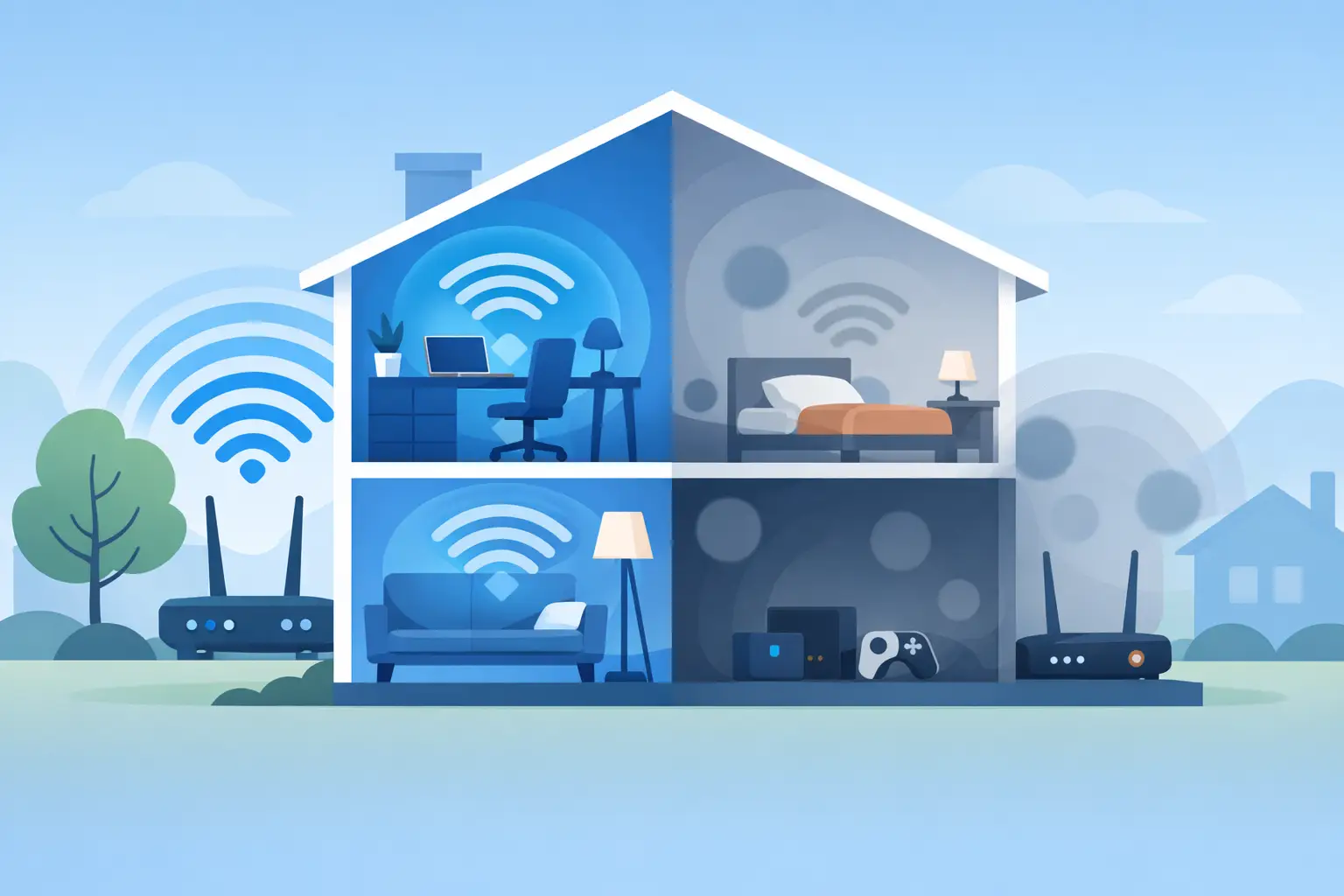
A video call freezes in the back bedroom. Music drops out on the patio. The smart TV buffers even though your internet plan is fast. When homeowners ask what causes wifi dead zones, the answer is rarely just “weak Wi-Fi.” More often, it is a combination of the home’s construction, router placement, radio interference, and a network that was not designed for the way the space is actually used.
A dead zone is an area where a device cannot maintain a usable wireless connection. It may have no signal at all, but it can also show up as slow speeds, frequent disconnects, delayed loading, or devices that work only when you stand in a particular corner. Finding the underlying cause matters because the right fix for a detached office is not necessarily the right fix for a basement media room or a large new-build home.
What Causes WiFi Dead Zones Most Often?
Wi-Fi is a radio signal. Like any radio signal, it loses strength with distance and struggles when it must pass through dense materials, metal, water, and other sources of interference. A router can be working properly while still being unable to serve every room equally well.
The most common causes are physical barriers between the router and your devices, a router placed in an inconvenient location, competing wireless signals, and too few well-positioned access points for the size or layout of the property. Internet speed plays a role, but a faster plan alone does not repair poor coverage inside the home.
Your Home’s Materials Can Block the Signal
A drywall interior wall has a modest effect on Wi-Fi. Several walls in a row are another story. Brick, concrete, plaster, stone fireplaces, tile, and thick wood can substantially weaken a signal. Metal is especially challenging because it can reflect or block wireless radio waves.
This is why dead zones often appear around utility rooms, fireplaces, garages, finished basements, and additions. A kitchen can be difficult, too, with its appliances, plumbing, cabinetry, and large surfaces. An aquarium or other large body of water can also absorb wireless energy more than most people expect.
Newer construction is not automatically easier to cover. Energy-efficient windows, foil-backed insulation, radiant floor systems, and certain building assemblies can make a home more comfortable while creating more obstacles for Wi-Fi. Older Northeast Ohio homes may have plaster walls, masonry, or additions built with very different materials than the original structure. Each detail changes how a signal travels.
Floors Create Their Own Coverage Challenge
A single router on the first floor is often asked to do too much in a two- or three-story home. Signals must travel through flooring, framing, ductwork, plumbing, and furniture before reaching an upstairs bedroom or lower-level living area.
The Wi-Fi band matters here. The 2.4 GHz band generally reaches farther and passes through obstacles better, but it has less capacity and is often more crowded. The 5 GHz and 6 GHz bands can provide higher performance closer to the access point, but they typically lose strength faster through walls and floors. Good coverage is about placing the right signal where people use it, not relying on one band to handle the entire house.
Router Placement Is a Frequent Problem
Many internet providers install equipment where their service enters the house. That location may be convenient for the installation, but it is seldom ideal for whole-home coverage. A router tucked into a basement corner, closet, cabinet, or media console starts at a disadvantage before the signal ever reaches the living areas.
For a single-router setup, a central and relatively open location is usually best. Elevating the equipment can help, as can keeping it away from large metal objects and dense electronics. Placing it behind a television, inside a closed cabinet, or next to a furnace room will limit its reach.
Even a well-placed router has limits. In a compact, open floor plan, one quality access point may be sufficient. In a larger home, a home with several levels, or a property with a separate garage, outdoor living area, or finished basement, one access point may leave predictable weak spots. The goal is not to make the router work harder. It is to design coverage that fits the property.
Interference Can Make a Good Signal Feel Unreliable
Not every dead zone is caused by distance. Sometimes a device can see a strong Wi-Fi signal but still perform poorly because the airwaves are crowded.
Neighboring networks are common in townhomes, apartments, and closely spaced neighborhoods. Many routers may be using the same channels, particularly on 2.4 GHz. Bluetooth devices, wireless speakers, older cordless phones, baby monitors, and microwave ovens can also affect that band. The effect may be intermittent, which is why a connection can seem fine in the morning and frustrating at night.
Equipment settings can add to the problem. An older router may not manage current devices efficiently. Automatic channel selection is useful, but it is not perfect in every environment. A professional evaluation can identify whether the issue is interference, poor signal strength, or a device that is connecting to the wrong access point.
One Router May Not Match the Way You Live
A home network should be planned around where connectivity is needed, not just where internet service arrives. Streaming in the family room, video calls from a home office, tablets in bedrooms, and connected systems throughout the house can place very different demands on the network at the same time.
Dead zones can also develop after a renovation or lifestyle change. A room that once held occasional guests may become a full-time office. A finished basement may become an entertainment space. An outdoor patio may become part of daily living for much of the year. The original Wi-Fi setup may simply no longer match the home.
Mesh systems can help, but placement is critical. A mesh node needs a strong connection back to the main network. Putting one directly inside a dead zone can repeat a weak signal rather than solve the problem. When possible, access points connected by structured wiring provide more consistent performance because they do not have to use wireless capacity to communicate with one another.
Problems That Can Look Like a Wi-Fi Dead Zone
Before adding equipment, it helps to confirm that Wi-Fi coverage is truly the issue. A slow internet connection from the provider can affect the entire home, including rooms near the router. A single aging laptop, phone, or streaming device may have its own wireless limitation. Outdated firmware, a failing modem, or a congested device can also cause trouble.
A simple comparison can offer useful clues. Test a current phone or laptop near the router, then test in the problem room. If performance drops sharply with distance, coverage is likely part of the issue. If every device is slow everywhere, the concern may be upstream of the Wi-Fi network. If one device struggles while others work normally in the same location, the device itself deserves attention.
This is also why adding a generic extender is not always the best first move. Extenders can be useful in specific situations, but they often reduce available bandwidth and can create another network name for devices to manage. They are a practical compromise, not a universal answer.
A Better Way to Eliminate Dead Zones
The most dependable solution begins with a coverage plan. That means evaluating the floor plan, building materials, equipment location, the number of connected devices, and the areas where reliable performance matters most. The answer may be as simple as relocating existing equipment. It may call for strategically placed access points, a wired backbone, or an updated network designed for a renovation or new build.
Clean installation matters as much as equipment selection. Purposeful placement keeps technology out of sight while improving everyday performance. It also makes future upgrades easier, whether the home gains a new office, a theater space, or expanded outdoor living.
Reliable Wi-Fi should fade into the background. If certain rooms keep interrupting work, entertainment, or daily routines, the home is giving you useful information: its network needs to be designed around the way you live.


Comments are closed