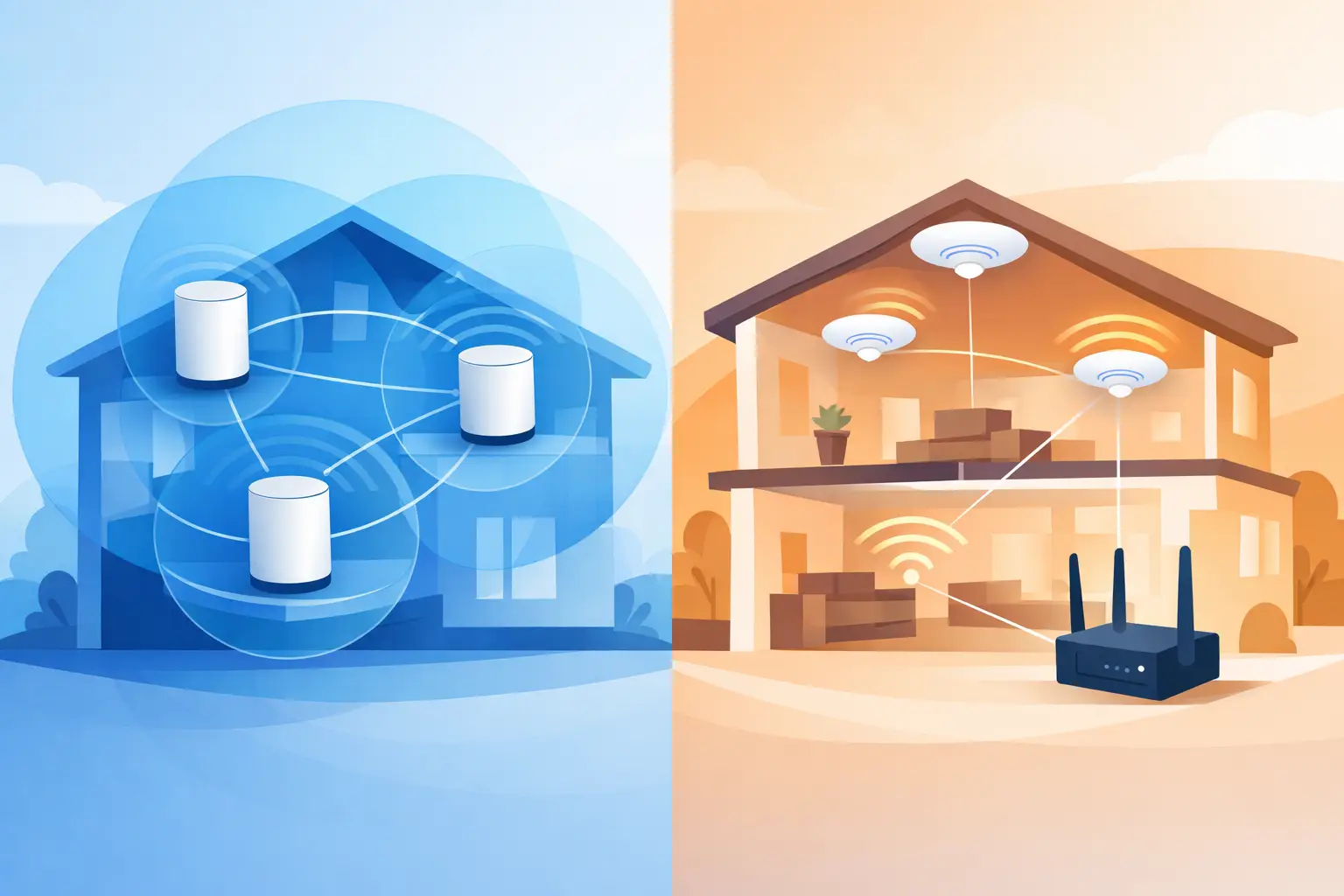
A fast internet plan cannot fix Wi-Fi that fades at the kitchen table, stalls in a second-floor office, or drops during a movie night. The real choice in mesh WiFi vs access points is not about buying the most equipment. It is about designing coverage that matches the home, the wiring, and the way your family actually uses technology.
For some homes, a well-placed mesh system is the sensible answer. For others, especially new builds, larger renovations, and homes with demanding connected devices, professionally placed wired access points provide a stronger long-term foundation. Both can deliver a single network name and easy movement from room to room. Their differences show up in speed, consistency, installation requirements, and room to grow.
Mesh WiFi vs Access Points: The Core Difference
A mesh WiFi system uses a main router and one or more satellite nodes. The nodes extend coverage by communicating with the main unit or with each other. In many installations, that communication happens wirelessly. This is called wireless backhaul.
Access points are wired Wi-Fi transmitters installed in locations where coverage is needed. Each access point connects back to the network through an Ethernet cable, typically running to a central structured wiring location. The cable carries the data connection and, in many cases, power as well.
The practical difference is simple: mesh often uses Wi-Fi to extend Wi-Fi, while access points use dedicated wiring to deliver Wi-Fi where it is needed. That wired connection gives access points an advantage in homes where consistent performance matters across multiple rooms, floors, or outdoor living areas.
A mesh system can also use wired backhaul when Ethernet is available. In that case, it can perform very well. The distinction becomes less about the label on the box and more about whether the system has a solid wired path between its components.
When Mesh WiFi Makes Sense
Mesh WiFi is often a good fit for an existing home with limited network wiring, moderate internet needs, and a few persistent dead zones. It can be installed with less disruption than opening walls to run cable, and its nodes are generally easy to place and manage.
For example, a homeowner may have a strong signal near the modem but weak coverage in an upstairs bedroom or a family room at the far end of the house. A properly placed mesh node can extend usable coverage into that area without a major retrofit. It is also a practical temporary solution during a renovation when the final network design has not yet been completed.
That said, placement matters more than many people expect. A mesh node cannot create a strong connection if it is placed where the original signal is already poor. It needs a healthy connection back to the main router. Put it too far away, behind dense materials, or inside a cabinet, and the node may add signal bars without delivering the performance people expect.
Mesh systems are best viewed as a convenient coverage tool, not a universal cure for every Wi-Fi problem. In a smaller home with open sight lines and manageable device use, they can be an excellent value. In a large home with thick walls, multiple levels, or many connected systems, wireless backhaul can become the limiting factor.
Why Wired Access Points Perform Differently
Wired access points place the Wi-Fi signal closer to the people and devices using it, without asking that signal to make another wireless trip back to the router. This helps preserve available bandwidth and reduces the chance that one weak link will affect the rest of the network.
Ceiling-mounted access points are especially effective because they are centrally located, elevated, and away from furniture and electronics that can interfere with coverage. A clean installation also keeps equipment off counters, out of bedrooms, and away from the visual clutter that often comes with consumer networking gear.
For homes with several streaming TVs, video calls, gaming systems, smart thermostats, motorized shades, whole-home audio, and connected appliances, access points offer more predictable performance. They are also easier to expand thoughtfully. If an addition, patio, detached garage, or finished basement needs coverage later, a new wired access point can be added without relying on a chain of wireless nodes.
This approach is particularly valuable in new construction. Running the right low-voltage cable before drywall goes up is far easier and more cost-effective than trying to add it after the home is complete. Builders and homeowners can plan coverage around room layout, materials, and future use rather than hoping a router placed in a utility room will reach everywhere.
Coverage Is Not the Same as Capacity
Many Wi-Fi problems are described as coverage issues because a phone shows only one or two bars. Sometimes that is true. Just as often, the problem is capacity.
A busy household may have dozens of devices competing for airtime. Even when a device can see the network, it may struggle if the router is overloaded, poorly positioned, or serving too much of the home from one location. Wi-Fi is shared radio space. Walls, appliances, neighboring networks, and distance all affect how well that shared space works.
Access points help by dividing the home into better-served areas. Instead of one router trying to reach every corner, multiple wired transmitters share the work. A well-designed system also uses appropriate channel settings and power levels so access points complement each other rather than compete.
Mesh systems can improve capacity too, particularly higher-quality models with dedicated backhaul radios. But the results still depend on the path between nodes. If that path is wireless and congested, the system has less room to handle heavy activity.
The Installation Question: What Wiring Do You Have?
Before choosing equipment, look at the home’s infrastructure. Ethernet cable is the preferred foundation for access points and wired mesh nodes. Some homes already have it in useful locations, while others have only coaxial cable or telephone wiring that may not support modern networking needs.
A professional assessment can identify what is present, whether existing cable can be repurposed, and where new wiring would make the greatest difference. It also reveals issues that equipment alone cannot solve, such as a poorly located internet gateway, an undersized network switch, or Wi-Fi gear hidden in a metal enclosure.
For a renovation, the best time to plan is before finishes are closed. A few intentional cable runs can support access points, TVs, office connections, audio components, and future upgrades without changing the look of the home. The goal is not to fill rooms with technology. It is to create a quiet, dependable backbone that stays out of the way.
How to Choose for Your Home
Choose mesh WiFi when you need a straightforward improvement in an existing home, wiring is limited, and your main concern is extending coverage to a few areas. A quality mesh system, installed in the right locations, can be a meaningful upgrade over a single router.
Choose wired access points when you are building, remodeling, dealing with repeated performance complaints, or supporting a larger number of connected devices. They are usually the better fit for larger homes, multi-level layouts, dense construction materials, dedicated workspaces, and entertainment areas where interruptions are frustrating.
There is also a middle ground. A home may use wired access points in the main living areas and a carefully positioned mesh node or wired mesh unit in a space where running cable is impractical. The right answer does not need to follow a single product category. It needs to give every important area a dependable connection.
A Better Wi-Fi Plan Starts With the Home
The strongest network designs begin with a walkthrough, not a shopping cart. Room layout, wall materials, equipment locations, internet service, and how the household uses technology all shape the right solution. Testing signal strength is useful, but understanding daily habits is just as valuable.
Tri-County Technology designs Wi-Fi systems around the home itself, with clean installation and practical support in mind. Whether the answer is mesh, access points, or a combination of both, the best result is Wi-Fi that works quietly in the background – so the connection is one less thing your household has to think about.


Comments are closed