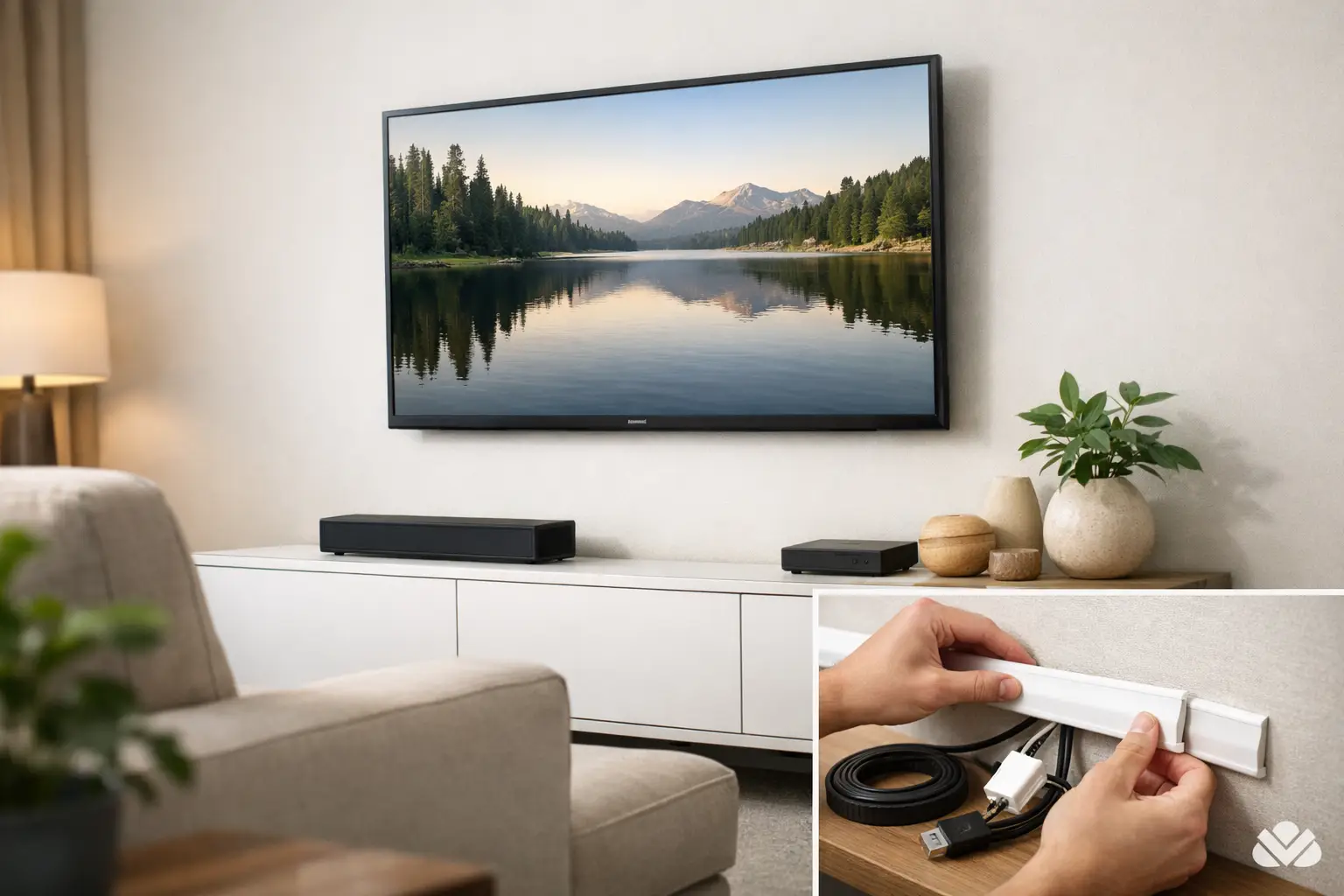
A great TV setup can still look unfinished when a bundle of cords hangs below the screen. If you’re wondering how to hide tv cables without making the system harder to use or service later, the right approach depends on your wall, your equipment, and how permanent you want the result to be.
For some rooms, a simple surface solution is the best fit. In others, hiding wiring inside the wall creates the cleanest finish. The goal is not just to make cords disappear. It is to create a setup that looks intentional, stays safe, and still works well when you add a streaming box, upgrade a soundbar, or need service down the road.
How to hide TV cables without creating new problems
The cleanest-looking option is not always the smartest one. A cable plan should account for power, signal wiring, equipment location, and future access. That matters even more when the TV is mounted above a fireplace, paired with a sound system, or part of a larger smart home setup.
The first thing to know is that power and low-voltage cables are not treated the same way. HDMI, Ethernet, audio, and control wires are low-voltage. TV power cords and extension cords are not. That distinction affects what can safely go inside a wall and what should stay outside of it unless a proper in-wall power solution is installed.
This is where many DIY projects go off track. People often hide everything behind drywall as quickly as possible, only to find out later that the setup is difficult to service, not code-friendly, or unable to support new devices.
Start with the type of TV installation you have
A TV on a stand gives you more flexibility because furniture can do part of the hiding for you. A mounted TV usually needs a more deliberate cable path, especially when the screen is centered on a clean feature wall with nowhere obvious for wires to go.
If your TV is on a stand
For stand-mounted TVs, the easiest fix is usually cable management behind the console. This can be as simple as bundling extra slack, securing cords along the back edge of the furniture, and routing everything toward one power source. When done well, very little is visible from normal viewing angles.
The challenge is that many media consoles look tidy from the front but become crowded behind closed doors. Heat buildup, tangled adapters, and limited outlet access can turn into recurring frustrations. In those cases, the best solution is to organize the equipment shelf by shelf, shorten visible runs, and separate power from signal cables where possible.
If your TV is wall-mounted
A mounted TV usually benefits from one of two approaches. The first is a paintable surface raceway that runs from the TV down to a console or cabinet. The second is an in-wall wiring path that allows low-voltage cables and, when installed correctly, power to travel inside the wall.
A surface raceway is often the most practical choice in finished rooms. It installs faster, avoids opening the wall, and still gives a much cleaner look than exposed cords. If the raceway is color-matched to the wall and aligned neatly, it tends to disappear visually.
In-wall cable concealment creates the most refined finish, especially in living rooms, bedrooms, and offices where the TV is a major focal point. It works best when the equipment location has been thought through in advance. If all your source devices stay in a cabinet below the TV, the path is straightforward. If they are going in another room, an AV closet, or a structured wiring location, planning matters a lot more.
The most common ways to hide TV cables
Each option has benefits and trade-offs. The right one depends on the room, the wall type, and how polished you want the final result to feel.
Surface-mounted raceways
These are slim channels that sit on the wall and cover exposed cables. They are a strong choice for retrofits because they minimize disruption. They also make future upgrades easier since the wiring remains accessible.
The trade-off is visibility. Even well-installed raceways are still on the wall. In a casual family room that may not matter. In a formal living space or a room with custom finishes, it may.
In-wall cable routing
This is often the preferred option when the goal is a truly clean installation. It removes visible clutter and helps the TV feel integrated into the room instead of added as an afterthought.
The trade-off is complexity. Wall construction, insulation, fire blocking, and outlet placement can all affect the job. Safe power relocation should also be handled correctly, not improvised with an extension cord hidden in the wall.
Concealment with furniture and layout
Sometimes the simplest solution is to let furniture do the work. A well-placed console, cabinet, or built-in can block the cable path and house equipment without any wall modification. This approach works especially well when the TV is not mounted too high and when the room layout allows the furniture to sit directly beneath it.
The limitation is flexibility. If the room design changes, the cable management may stop working with it.
Safety matters more than most people expect
When homeowners ask how to hide tv cables, they are usually thinking about appearance first. That makes sense. But safety is just as important.
Loose cords can snag, sag, or get damaged over time. Overloaded power strips hidden in tight cabinets can create heat issues. Improper in-wall power routing can also create code and insurance concerns. A clean setup should not just look better. It should reduce clutter, protect connections, and support reliable performance.
This matters even more in homes with children, pets, or busy common areas. It also matters in commercial spaces like waiting rooms, conference rooms, and small offices where a polished look needs to hold up under daily use.
Think beyond the TV itself
Most televisions are not operating alone. There may be a soundbar, cable box, streaming device, gaming console, network connection, whole-home audio component, or surveillance display in the mix. Every added device changes the cable plan.
That is why the best-looking installations usually start with a full system view. Where will the devices live? Do you want them visible, hidden in furniture, or stored in another location? Will you need Ethernet for reliable streaming? Will a universal remote or app control the full setup? These questions affect where cables should run and how much access you will want later.
A setup that looks perfect today but cannot handle a future upgrade is only partially successful.
When professional installation makes the most sense
There is a point where cable hiding stops being a weekend task and starts becoming part of a bigger system design. That is especially true when you are mounting a large TV, adding a sound system, opening finished walls, or combining entertainment with lighting, shades, security, and networked devices.
Professional installation can help avoid the common problems that show up later: visible wires that were missed in the original plan, poor outlet placement, hard-to-reach equipment, weak streaming performance, or a mounted TV that looks centered but functions awkwardly in daily use.
For homeowners in Northeast Ohio, especially in renovation projects or higher-finish spaces, it often makes sense to treat TV wiring as part of the room’s infrastructure rather than an afterthought. Companies like Tri-County Technology approach it that way, with an emphasis on clean execution, reliable performance, and systems that feel easy to live with.
A cleaner look should also be easier to use
The best cable management is almost invisible, but the real benefit is what it removes from daily life. You are not looking at cord clutter. You are not tracing wires when something disconnects. You are not struggling to add one more device because the original setup was too tight or too improvised.
If you are deciding how to hide tv cables, aim for more than a quick cosmetic fix. Choose an approach that fits your room, protects the wiring, and leaves enough flexibility for the way you actually use the space. When the installation is done well, the technology fades into the background and the room feels calmer, cleaner, and more finished.


Comments are closed